
Issue 16: Data Privacy Concerns Continue, Model Upgrades Keep Coming
Includes a how-to on ChatGPT’s “Projects”
News That Matters
Google, OpenAI and Anthropic all announced model updates
Google unveiled Gemini 3, promising smoother processing of text, images, audio, video and code in a single workflow. It will also power Google Search’s “AI Mode,” allowing it to generate summaries with visual and interactive elements.
OpenAI released GPT 5.1, introducing personality presets like Professional, Friendly, and Efficient in ChatGPT. It also announced group chat functionality in select regions, letting multiple people work with ChatGPT in a shared conversation.
Anthropic’s Opus 4.5 upgrade focused on workflow integration. The model can plug directly into Chrome and Excel, letting users summarize web pages and clean up spreadsheets without leaving their normal tools.
Google’s Private AI Compute promises better data privacy
Google is introducing “Private AI Compute”, a way to use cloud-based AI models while keeping your data safe. The data will be processed in a locked-down environment that even Google can’t access. For now, it’s only live on the newest Pixel devices (like the Pixel 10) in some features.
AI In Practice
Make Recurring Work Easier with ChatGPT Projects
If you like your chats organised and hate repeating context across chats, then ChatGPT’s “Projects” is a must-try. A Project is a tidy workspace inside ChatGPT where everything related to one task lives: past chats, reference documents, templates and instructions.
Unlike regular chats, Projects remember the entire body of work you’ve added without you having to re-explain things. This makes long-running or recurring tasks that need consistency, context, and regular iterations feel a lot lighter in terms of prompting effort. It’s meant for work that isn’t one-off: research, content creation, planning, learning, or anything you want to build over time.
Let’s walk through a simple example: running a monthly competitor scan for your company.
Step 1: Create your Project
Go to Projects → New Project and give it a clear name, like “Monthly Competitor Intelligence 2025.”
Step 2: Add your reference material
Inside your Project, click Add Files and upload relevant documents (pdfs, images, spreadsheets, notes) with applicable content like:
Competitor list
Industry background
Past scans, if available
Useful definitions (product launches, pricing changes, hiring trends, regulatory moves, etc.)
These become your project’s “memory”.
Step 3: Set your preferred report format inside the Project
Add a template with a list of key sections that each scan should have. For example:
Report date
Key news & announcements
Product & feature changes
Pricing trends
Partnerships & investments
Regulatory signals
Hiring patterns & org changes
Social / digital activity highlights
Comparison with previous report, if available
Risks / opportunities
Source links
You can also use ChatGPT to create this template for you.
Step 4: You’re ready! Run the scan
Every month (or per your chosen cadence), open a new chat in the project and use a prompt like:
“Run the monthly competitor scan using the template. Use publicly available and recent information from credible sources only. Prioritise product, pricing, and growth-related signals.”
ChatGPT then pulls together everything already stored — template, competitor list, industry context, previous scans — and gives you a fresh report without you repeating any of it.
It feels a bit like having an analyst who shows up already briefed and ready to work. And we all know what that is worth!
One Trend Of Note
AI & Ethics: Data Privacy Trade-offs of GenAI
(Continuing our AI & Ethics series after the previous one on Copyrights)
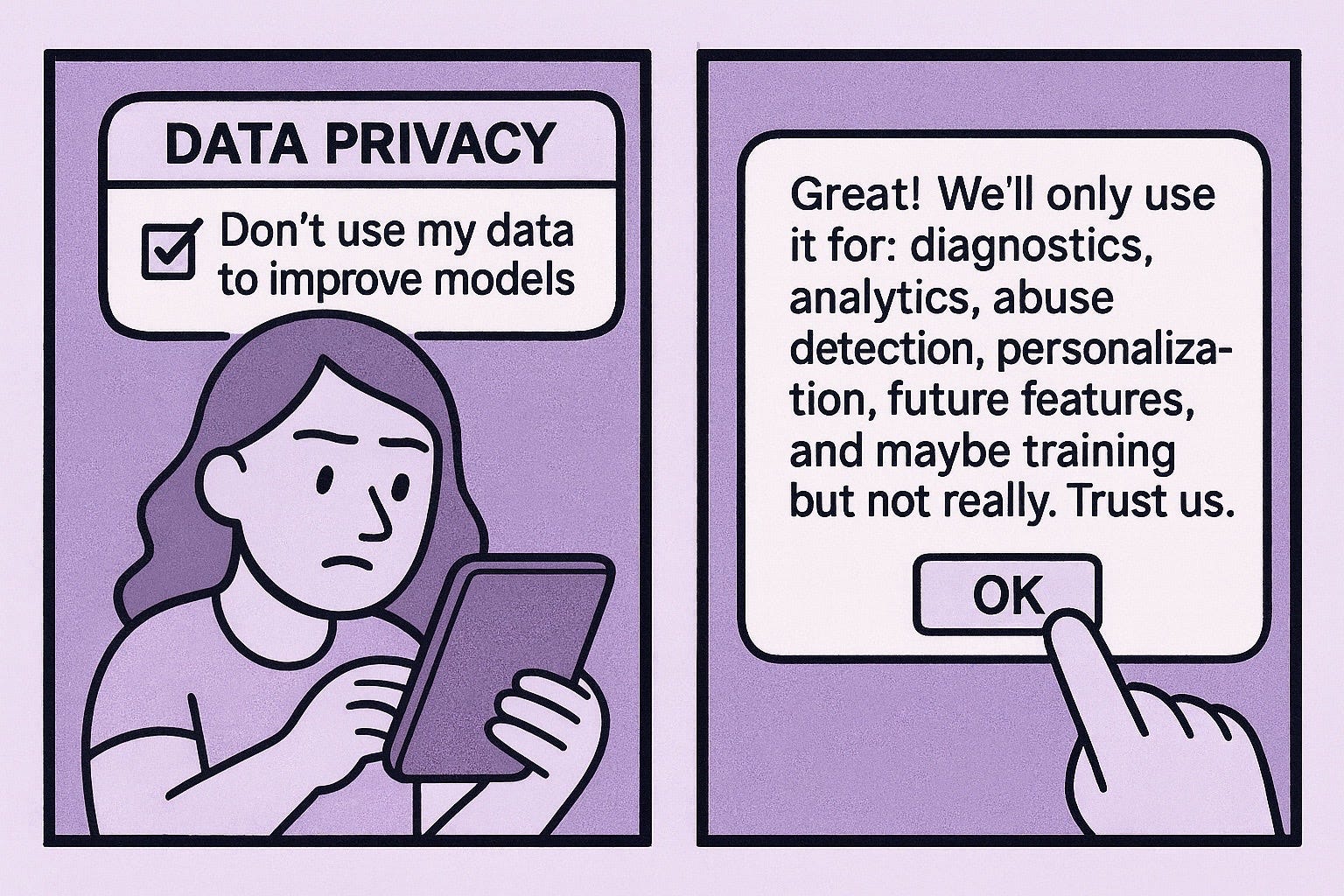
GenAI models handle personal data at multiple stages, from the material used to train models to prompts and files people enter every day. While AI companies claim data privacy, the reality is blurrier. The core tension is structural: Today’s GenAI systems are built on practices that treat personal data as raw material, making strong privacy the rare exception, not the default.
Consent is unclear, hidden, or retroactive
Users rarely give explicit consent for social media posts and online activity (think reddit posts) being used to train models. Even when consent technically exists, it’s buried in settings most people never see, under ‘opt-out’ rather than ‘opt-in’. For example, LinkedIn recently announced it will start training AI models on user data, unless users opt out.
Transparency is non-existent
AI companies disclose very little about their training data, raising questions on copyrights and whether the data was legitimately obtained. The EU introduced a new rule recently requiring AI providers to publish summaries of training data but it stops at high-level disclosures (e.g. domains for web-scraped content, public datasets). It doesn’t require explicit lists of urls, posts, or files the model was trained on.
Reuse of data beyond original use case
In many AI tools, a document you upload may be used to improve future models, or accessed by third parties. Once data shapes a model’s internal patterns, there’s no simple way to un-train it.
Enterprise data exposure
For businesses, the risks are higher. Employees often drop financial reports, internal emails, and client information into AI tools, including tools IT never approved (remember we spoke about Shadow AI earlier?). If those tools retain or reuse that data, you risk leaking IP and exposing confidential information.
Net-net. AI systems collect more data than users realise, reuse it in ways users didn’t consent to, and provide almost zero transparency or control over where their data goes. If a tool doesn’t say how long it holds your prompts or where they share your data, assume the worst about them.
What can you do?
Clean up your social media (e.g., delete old posts / photos, disable public visibility)
Avoid uploading sensitive data (e.g., ID details, bank account numbers, medical records)
Where available, opt out of your data being used for model training
Use tools that offer “No training” mode, local LLMs, private search etc.
Use enterprise-approved AI tools that operate within walled gardens.
If you enjoyed this issue, like, subscribe, and share with others.
Cheers!
The Projects feature walkthrough is realy useful. I've been manually recopying context into every new chat for my content work and it's exhausting. Do you think the retention of all that uploaded data in a Project creates any privacy risk compared to regular chats?